How to Record a Payroll Journal Entry in QuickBooks Online (2026 Guide)

Quick Answer
To record a payroll journal entry in QuickBooks Online, create a journal entry that debits gross wages, debits employer payroll taxes, debits benefits expense, and credits the payroll clearing account (or bank account if paying directly), credits payroll tax liability accounts, and credits any deduction liability accounts. The entry must balance — total debits equal total credits. For most businesses using a payroll provider like Gusto or ADP, this entry is created bi-weekly or semi-monthly to record the payroll run in your books.
Key Takeaways
- Payroll journal entries record employee wages, employer taxes, and benefits in QuickBooks
- A typical entry has 6-12 line items including gross wages, employer taxes, deductions, and net pay
- Most businesses use a Payroll Clearing account that gets matched against bank withdrawals
- The entry must balance — total debits (expenses + taxes paid) equal total credits (cash out + liabilities)
- Bi-weekly payroll means 26 entries per year per company
- AI tools can read payroll registers from Gusto, ADP, and Rippling and auto-generate the JE
If you process payroll for clients but use a separate payroll provider like Gusto, ADP, or Rippling, you face the same task every two weeks: turning the payroll register into a journal entry in QuickBooks Online.
This is one of the most repetitive tasks in modern bookkeeping. The numbers change but the structure is always the same. Multiply this across multiple clients and bi-weekly payroll periods, and a small bookkeeping firm spends 5-15 hours per month just on payroll journal entries.
Why Payroll Journal Entries Exist
Many bookkeepers and businesses use specialized payroll providers (Gusto, ADP, Rippling, Paychex, OnPay) instead of QuickBooks Payroll. These providers offer features QuickBooks Payroll lacks — better employee experiences, better benefits administration, better compliance support, or better pricing for the business size.
When you use an external payroll provider, the provider handles the actual paychecks and tax filings. But QuickBooks still needs to know about the payroll for accounting purposes. That's where the manual journal entry comes in.
The journal entry tells QuickBooks: total wages paid (an expense), employer payroll taxes paid (an expense), benefits costs (an expense), money that left the business bank account (a credit to cash), tax liabilities created (credits to liability accounts), and employee deductions created (credits to liability accounts).
Components of a Payroll Journal Entry
Debits (expenses and assets):
- Gross Wages — Total wages earned by employees before any deductions.
- Employer Payroll Taxes — Employer Social Security (6.2%), Employer Medicare (1.45%), FUTA (0.6% effective), SUTA (varies by state).
- Employer Benefits — Health insurance premiums (employer portion), 401(k) match, life insurance, disability, etc.
Credits (cash and liabilities):
- Payroll Clearing or Bank Account — Net amount that left the business account.
- Federal Tax Liability — Federal income tax withheld from employees.
- State Tax Liability — State income tax withheld.
- FICA Tax Liability — Combined employer and employee Social Security and Medicare.
- Health Insurance Liability — Employee deductions for health insurance.
- 401(k) Liability — Employee 401(k) contributions to be remitted.
- Other Deductions — Garnishments, supplemental insurance, etc.
Step 1: Set Up Your Chart of Accounts
Expense Accounts: Wages and Salaries Expense, Payroll Taxes Expense, Employee Benefits Expense, 401(k) Match Expense, Workers Compensation Insurance Expense.
Liability Accounts: Payroll Clearing, Federal Income Tax Withheld, FICA Tax Liability, State Income Tax Withheld, State Unemployment Tax Payable, 401(k) Liability, Health Insurance Liability, Other Payroll Deductions.
The Payroll Clearing account is critical. It serves as the matching account between your payroll journal entry and the actual bank withdrawal that goes through your bank feed.
Step 2: Get Your Payroll Register
After your payroll provider processes payroll, they generate a payroll register. This is the source document for your journal entry.
For Gusto: Reports → Payroll Reports → Payroll Register Detail
For ADP: Reports → Payroll Register
For Rippling: Payroll → Reports → Payroll Register
For Paychex: Reports → Payroll Register
The register shows totals you'll need: total gross wages, total federal income tax withheld, total FICA, total state withholdings, employer unemployment taxes, total benefits deductions and expenses, total 401(k) contributions, total net pay.
Step 3: Create the Journal Entry
Click the + Create button in the upper left. Under Other, select Journal Entry. Enter the payroll period end date. Add a memo: "Payroll JE - [Pay Period Ending Date]"
Step 4: Enter the Debits and Credits
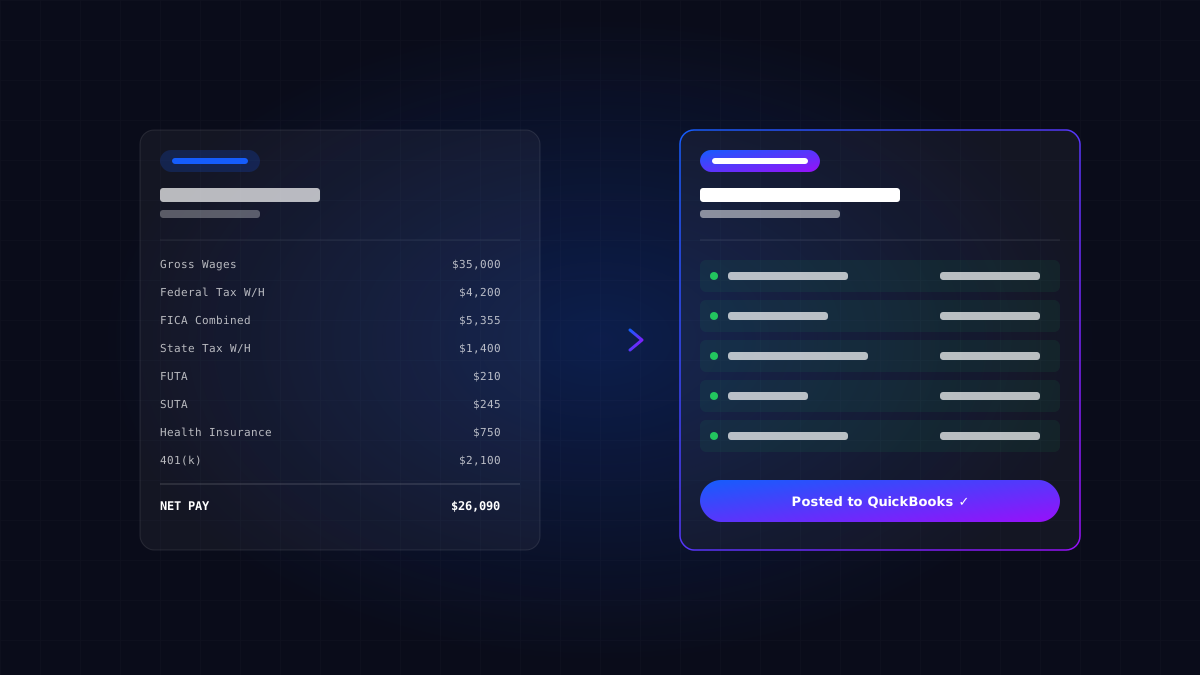
For a typical bi-weekly payroll example with 10 employees, total gross wages of $35,000:
| Account | Debit | Credit |
|---|---|---|
| Wages and Salaries Expense | $35,000 | |
| Payroll Taxes Expense | $2,800 | |
| Employee Benefits Expense | $1,500 | |
| 401(k) Match Expense | $1,050 | |
| Federal Income Tax Withheld | $4,200 | |
| FICA Tax Payable | $5,355 | |
| State Income Tax Withheld | $1,400 | |
| State Unemployment Tax Payable | $245 | |
| Federal Unemployment Tax Payable | $210 | |
| Health Insurance Liability | $750 | |
| 401(k) Liability | $2,100 | |
| Payroll Clearing | $26,090 | |
| Totals | $40,350 | $40,350 |
Step 5: Save, Attach, and Match Bank Transactions
Before saving, click the paperclip icon to attach the payroll register PDF. This creates a complete audit trail. Click Save and close.
After the journal entry is recorded, match it to the actual bank withdrawals. When the bank feed shows a withdrawal for the employee direct deposits, match it against the Payroll Clearing account. When taxes are remitted to the IRS, match those bank withdrawals against the corresponding tax liability accounts.
Common Variations and Special Cases
Bi-weekly with bonuses. The gross wages line increases proportionally. The withholdings may be different (bonuses sometimes have higher tax rates).
Commissions. Commission payments are typically handled in the regular payroll JE, just included in gross wages.
Year-end true-ups. You may need adjusting entries to true-up FICA wage base limits, FUTA wage base limits, and any over/under-accrued liabilities.
Paid time off accrual. Some firms accrue PTO as a liability (PTO Payable). This requires additional entries beyond the standard payroll JE.
Multi-state payroll. Each state's tax withholdings and employer taxes go to separate liability accounts.
1099 contractor payments. NOT part of the payroll JE. They're entered as bills or directly as expenses.
Common Payroll JE Mistakes
Mistake 1: Missing employer taxes. The most common mistake. Employer FICA, FUTA, SUTA are easy to miss.
Mistake 2: Recording net pay as a payroll expense. The expense is gross wages, not net pay.
Mistake 3: Not separating employee and employer contributions. Both need to be recorded — employee portion as a liability, employer portion as an expense.
Mistake 4: Wrong period dates. For payroll periods that cross month-end, you may need to accrue the portion earned in one month but paid in the next.
Mistake 5: Forgetting the payroll register attachment. Always attach.
Mistake 6: Using a single "Payroll" account. Separate wages, taxes, and benefits into different expense accounts.
Mistake 7: Not reconciling tax liabilities monthly. Payroll tax liabilities should clear when taxes are paid.
How Long This Takes
First time setting it up: 1-2 hours total (setting up accounts: 30-60 minutes; first JE creation: 30-45 minutes).
Recurring bi-weekly entry: 30-45 minutes total (downloading register: 5 minutes; creating JE: 15-25 minutes; matching bank transactions: 10-15 minutes).
For a bookkeeping firm processing payroll JEs for 10 clients bi-weekly, this is 5-7 hours per pay period, or 130-180 hours per year.
When AI Tools Help
Payroll JE automation is one of the highest-value applications of AI in bookkeeping because it's recurring (every 2 weeks), structured (same components every time), time-consuming (30+ minutes manually), and high-volume across multiple clients.
For typical bi-weekly payroll JEs, AI tools reduce entry time from 30-45 minutes to about 5 minutes (mostly review). For a firm processing 10 client payrolls bi-weekly, that's roughly 8-12 hours saved per pay period, or 200-300 hours per year.
Where JournalLink Fits
JournalLink AI is built specifically for payroll JE automation alongside other complex documents. Upload a payroll register from Gusto, ADP, Rippling, or any payroll provider, and JournalLink reads the register, identifies all components (gross wages, employer taxes, deductions, benefits), and drafts the complete journal entry using your real chart of accounts.
For firms processing payroll for multiple clients, JournalLink typically saves 80-90% of payroll JE entry time. The bookkeeper still reviews each entry, but the manual work disappears.
The Bottom Line
Payroll journal entries are repetitive but consequential work. Done correctly, they produce accurate financial reports and clean tax records. Done incorrectly, they understate labor costs, miss employer tax expenses, and create reconciliation nightmares.
The framework is consistent across every payroll: gross wages and employer taxes as debits, deductions and net pay as credits, all balanced. Once you understand the structure, you can handle any payroll JE.
Master the manual process first. Understand what each line item means and why it's there. Then automate the routine work. That's the progression that builds both expertise and scale.
Want to see JournalLink in action? JournalLink is rolling out to a small group of accounting firms, bookkeepers, and teams handling large or recurring imports. Get on the list →
Automate your accounting process. Import without the manual work.
JournalLink is rolling out to a small group of accounting firms, bookkeepers, and teams handling large or recurring imports.